THE PETSCII ART BEHIND THE COMM-ADORE BBS
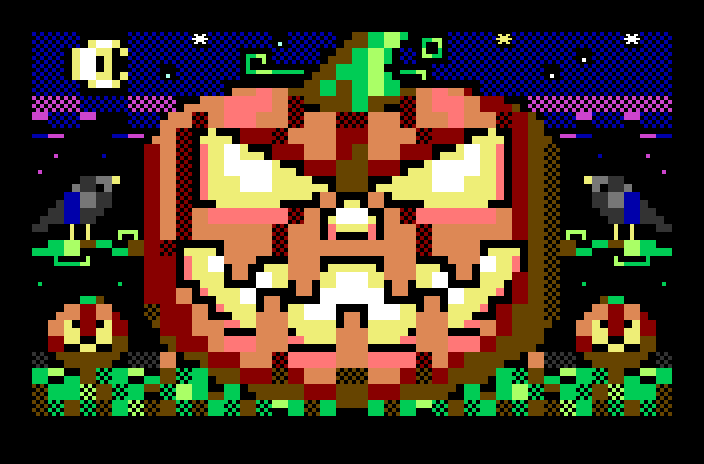
Call the Comm-Adore BBS and the first thing you see after you log in is a picture. Right now it's a cabin in the autumn woods, or a red barn, or a covered bridge. On the 30th it turns into jack-o'-lanterns and haunted houses, and the week of Thanksgiving it's a turkey dinner. None of these are bitmaps or photos. Every one is drawn in PETSCII, the characters built into the Commodore 64, and sent to you one character at a time, just like boards did in 1986.
We've drawn more than 120 of these screens over the last couple of weeks. They're all made in our own version of Petmate, a PETSCII editor that now runs in a web browser, with a PETSCII artist built in to work alongside you. That same editor, artist and all, is one of the perks of the I Adore My Commodore Club. Here's the art, how we make it, and how it ends up on your screen.
What PETSCII is
The Commodore 64's text screen is 40 characters across and 25 down: 1,000 cells. Each cell holds one character and one of the 64's 16 colors. That's it. There are no pixels to set and no shapes to draw, only characters in cells.
What makes it work is the characters Commodore put in the ROM. Besides letters and numbers there are solid blocks, half blocks and quarter blocks, lines, corners, diagonals, curves, circles, checkerboards and card suits, plus a "reversed" copy of each one. Put the right block in the right cell in the right color and a 40 by 25 grid starts to look like a jack-o'-lantern. Use a checkerboard character to mix two colors and you get shading. A curved corner rounds off the top of a moon.
There are two character sets, and a picture uses one or the other: uppercase and graphics, which has the most drawing characters, and lowercase and uppercase, which trades some of them for small letters. A picture drawn in one set looks like gibberish in the other, which turns out to matter later.
Back in the day, every BBS had PETSCII screens: the login, the menus, the games. Callers would hang around just to see what the sysop had drawn this month. Our board runs Color 64, real BBS software from 1985, and we wanted it to feel like a board someone cared about.
The front door
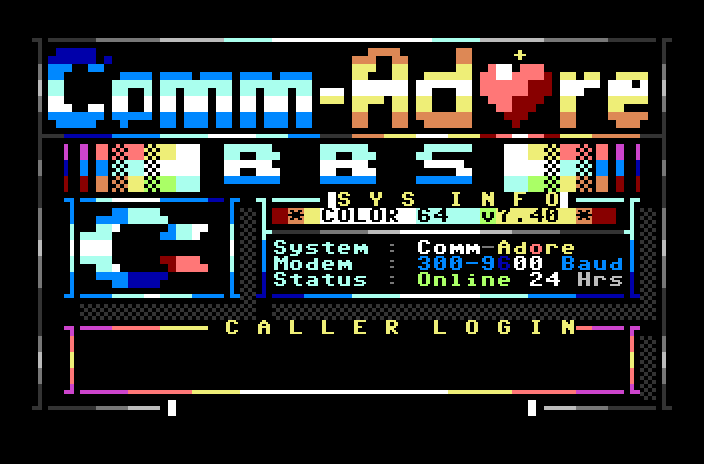
This is the first screen every caller sees, before they've even typed their handle. The logo, the rainbow BBS, the Commodore "chicken lips" and the system box are all characters. Even the heart in Comm-Ad♥re is built from characters.
A picture for every season
Color 64 had a feature we loved the moment we found it in the board's BASIC: after you log in, the board looks at the date and picks a random picture from that season's set. We've been filling the sets:
- Fall (October, and November up to Thanksgiving): 22 pictures
- Halloween (October 30 and 31): 15 pictures
- Thanksgiving (the day before and the day itself): 5 pictures
- Everyday (the rest of the year): 32 pictures
Every call picks one at random, so regulars see something different most days.
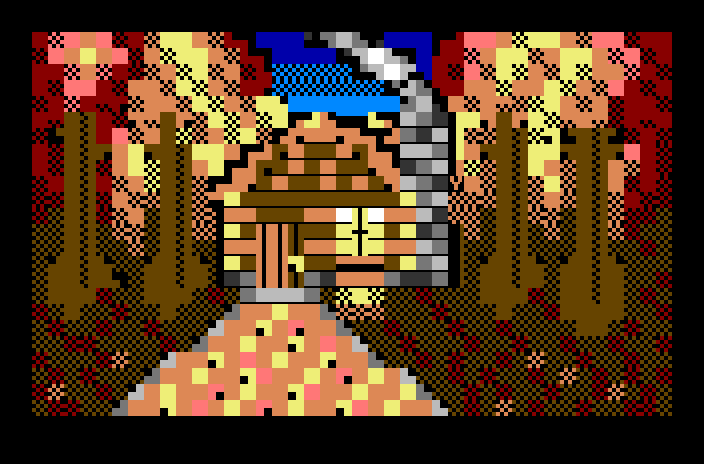
The fall set is up right now. A lot of it is about color: the C64 has orange, brown, red, light red and yellow, which is a pretty good autumn palette if you mix them with checkerboard characters. Look at the leaves on the path to the cabin, or the road in the first picture below.
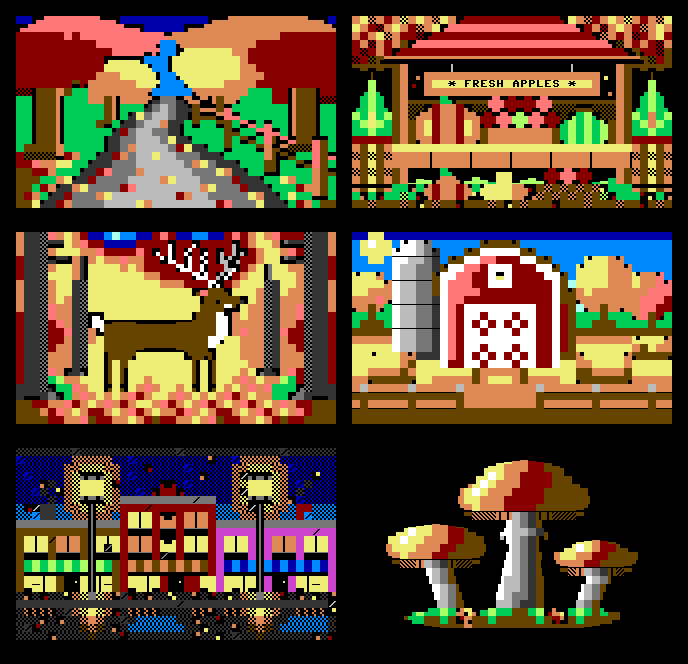
Then, on October 30th, the board switches to Halloween:
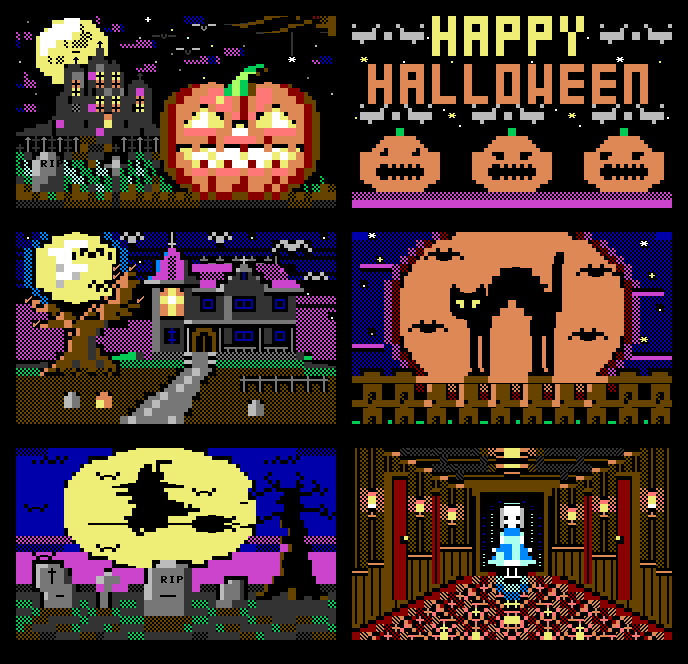
The Halloween pictures are where PETSCII shines. A big moon is easy to draw with curved corners and solid blocks, and anything in silhouette (a cat, a witch on a broom, a bare tree) reads well at 40 by 25. The C64's dark blue, purple and black make a good night sky, and a few white periods make stars.
And for Thanksgiving week:
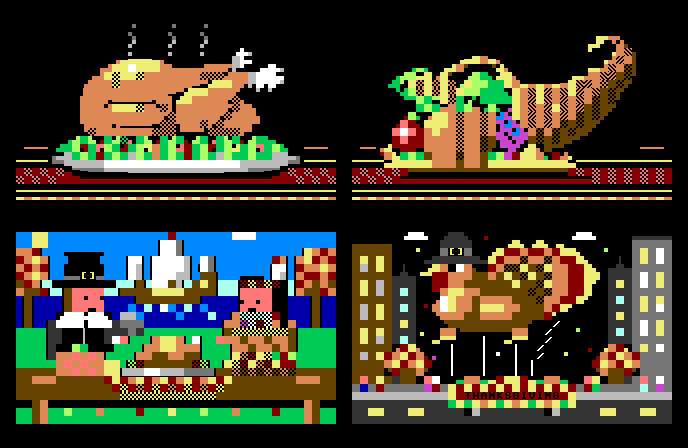
Color 64 also has slots for Christmas, New Year's, Valentine's Day, St. Patrick's Day, Easter and the Fourth of July. They're empty for now, so on those days the board shows the everyday set. Filling them is on our list.
The everyday set
Outside the holidays, the everyday set is a bit of everything a Commodore fan grew up with. The newest batch is pure 1985:
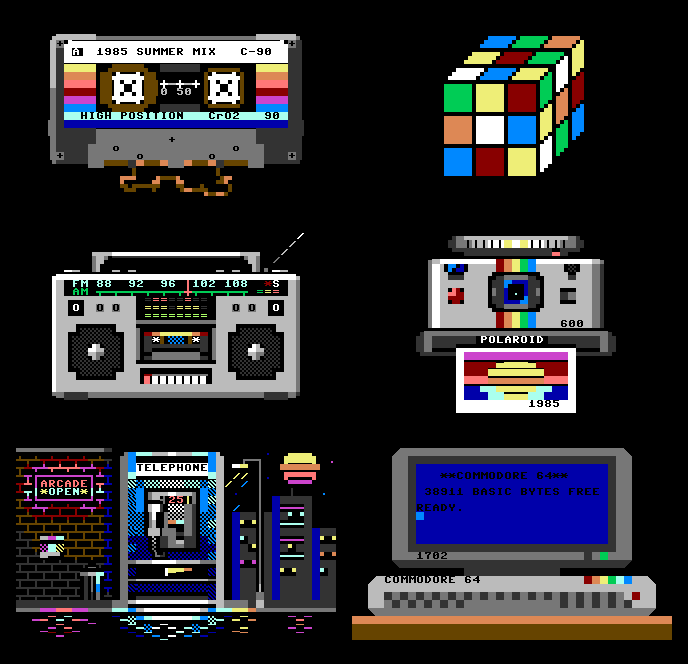
The Commodore 64 one is a favorite: a 1702 monitor showing the 64's startup screen, drawn on a 64's screen. The cassette has a real label, the boombox has a radio dial, and the Polaroid's photo comes out with a 1985 sunset on it.
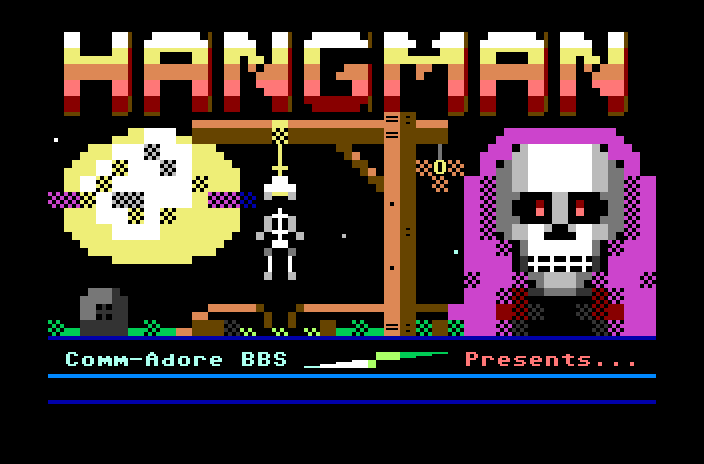
Title screens for the games
The board has 53 games, most of them written by sysops and Color 64 fans in the 80s and 90s. Some came with their own title pictures. Some didn't, and some we've rebuilt or updated, so they got new ones.
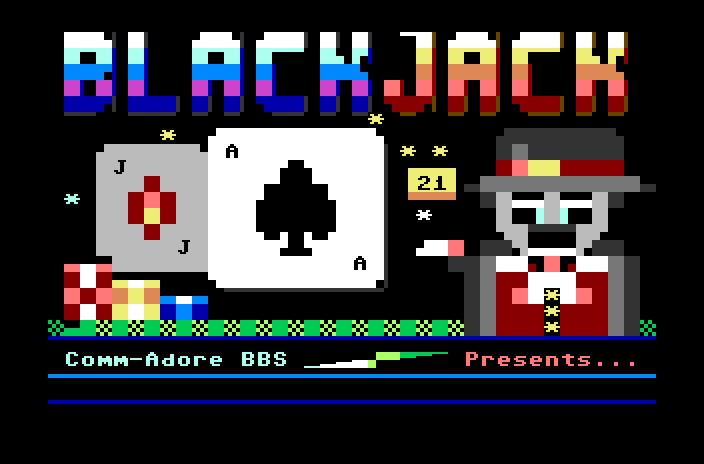
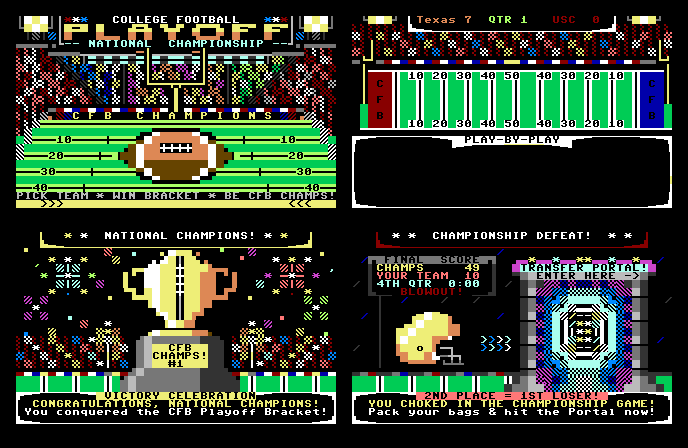
The CFB National Championship, our college football game with this season's real rankings, got a whole set: the title, the field that the play-by-play runs on, and a screen for each way your season can end.
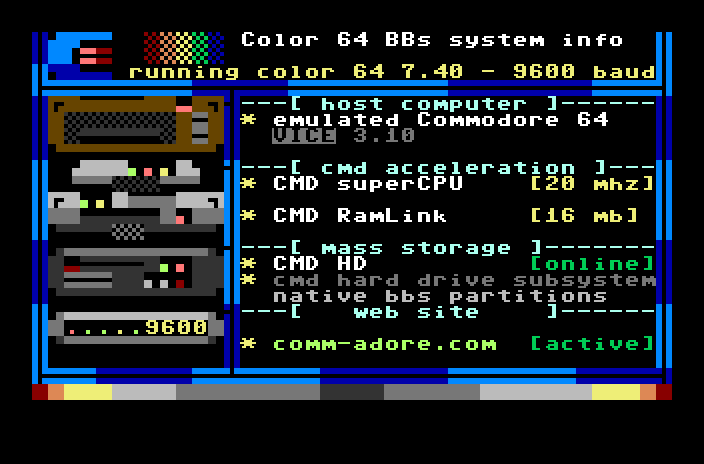
The board's information page shows the "hardware" the board runs on, drawn as a stack of Commodore gear:
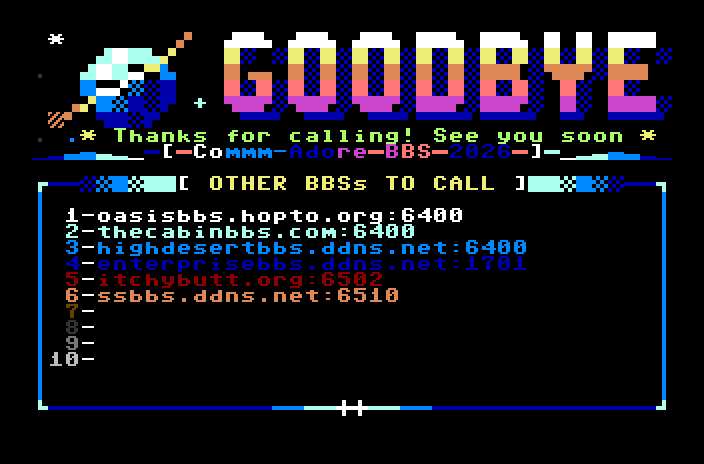
And when you log off, the goodbye screen lists other boards worth calling. BBSing was always about sharing the scene.
How we draw them: our Petmate
Petmate is a PETSCII editor by Janne Hellsten, and it's the best one around: a 40 by 25 canvas, the whole character set on a palette, the 16 colors, brushes, undo, several screens in one file, and exports to just about every format a Commodore coder needs. It's open source (MIT license), and it was a desktop app.
We wanted it in a web browser, so we made our own version of it. The editor itself is unchanged, and everything that needed a desktop around it now works in a browser tab:
- Open and save use your browser's file pickers. Your
.petmateprojects open and save just like before. - Import a SEQ file, a D64 disk image, a PNG, or a custom font.
- Export to PRG (a program you can LOAD and RUN on a real 64), SEQ (for a BBS), PNG and GIF, and assembly, BASIC, C or JSON for programmers.
- The menus and keys are the desktop app's, moved off the few keys the browser keeps for itself.
We checked our exports the hard way: a PRG exported from the browser is run on a Commodore 64 in an emulator, and its screen memory, color memory and border colors are compared with what's in the editor. They match.
Two artists, one canvas
Then we gave it a second artist: our PETSCII artist, an AI that sits beside the canvas in a chat panel. It isn't there to make the picture for you. It's there to make it with you. You and the artist work on the same screen, at the same time, and either of you can pick up where the other left off.
It works both ways:
- The artist draws, you finish. Describe a picture and the artist draws it on the canvas, live, cell by cell. Then it's yours: recolor the sky, redraw a face, move the moon, add your initials in the corner. Edit it until it looks the way you see it.
- You draw, the artist helps. Rough out a scene by hand and ask the artist to take it further: "shade the barn", "add stars to the sky", "round off the moon", "put some leaves on that path". It sees everything you've drawn and builds on it rather than starting over.
- Back and forth. Most pictures end up as a conversation. You lay down the big shapes, the artist adds the detail, you fix what isn't right, you ask for one more change. Every picture is yours and the artist's together.
A few things make that work:
- It sees what you see. Each time you ask for something, the artist gets a picture of the screen as it is now, your hand-drawn cells included. After each batch of its own drawing it looks again, the way a person steps back from the easel, and fixes what doesn't look right.
- Ask for exactly what you want. "Make the windows bigger" tells the artist to work on the windows. It aims to leave the rest of your house alone, though now and then it gets carried away and touches up more than you asked. When that happens, undo and ask again, or just fix the extra bits by hand.
- You're always in charge. One undo takes back everything the artist did in a turn, so if you don't like a change, it's gone with a single keypress. A Stop button ends a turn in the middle.
- Start from a photo if you like: drop one on the page and ask the artist to turn it into PETSCII, then make it your own.
It knows PETSCII the way an artist does. We taught it every character's shape straight from the C64's character ROM (which ones are solid, which are half and quarter blocks, which are diagonals and curves), and how PETSCII artists work: big shapes first in solid blocks, then edges with quarter blocks and diagonals, then shading with checkerboards and color ramps. That means it speaks the same language you do on the canvas, and its work is easy to pick up and change by hand.
A 40 by 25 grid is hard, for people and for AI alike. Each of you is good at different things. The artist is quick at filling in shading and detail and never gets tired of placing checkerboards. You know what the picture should look like and when it's right. The best pictures come from working together.
From Petmate to your screen
A picture on a BBS is a SEQ file, short for sequential: not a picture format at all, just the stream of bytes the board sends down the line. A color change is one byte, a reverse-on is one byte, each character is a byte, and a carriage return moves to the next row. Your terminal (on a real 64 with a WiFi modem, or in our web terminal) draws each one as it arrives, which is why BBS pictures paint in from the top.
Petmate exports a picture as SEQ in one click. Before one goes on the board, a few things get fixed up:
- The character set. Petmate's SEQ export doesn't say which set the picture was drawn in, and your terminal might be in the other one when it arrives. Remember the gibberish? So we add the one-byte code that switches the 64 to the right set at the start of the picture.
- The last cell. On a 64, printing a character in the bottom right corner scrolls the whole screen up one row, taking the top of the picture with it. For pictures that fill the screen, we use the old Commodore trick: print the last character one cell early, step back, and use the INSERT key's code to push it into the corner. Nothing scrolls.
- The invisible tail. Trailing spaces and color codes nobody can see are trimmed, so the cursor doesn't land on the last row and scroll the picture when the board prints its next line.
A full-screen picture is around 1,500 bytes. At 1200 baud, a typical modem speed in 1986, that's about 12 seconds of watching it draw. Over a WiFi modem today it's 2 or 3 seconds. On the board's new version, Color BBS, every picture is sent byte for byte, exactly as it's stored, and paced so a real 64 keeps up.
Draw your own: the club's Petmate
Our Petmate, with the PETSCII artist working alongside you, is part of the I Adore My Commodore Club, along with every game we release for the 64. Members open it right in their browser at their club page:
- 5 artist pictures a month are included with membership, monthly or yearly. Each press of Draw counts as one, whether you're asking for a whole new picture or a change to yours, however many steps the artist takes on it.
- Need more? Packs of 10 for $4.99. Bought pictures never expire.
- Your own drawing doesn't count. The editor is yours to use as much as you like; the artist joins in when you ask.
- Every picture is kept on your account under My pictures, to open in the editor again, or download as a
.petmateproject or a PNG, whenever you want them. - Export it any way you like: a PRG to run on your 64, a SEQ for your own board, a PNG to share.
Make a welcome screen for your own BBS, a title screen for your BASIC game, a picture for your desk on a real 64. If you make one you're proud of, send it to the sysop. We'd love to see what you draw, and the best might just turn up on the board.
Petmate is Janne Hellsten's work, and we're grateful for it. Our web version keeps its license and its name. To see the art where it lives, call the board from your browser or at adorebbs.ddnsgeek.com port 6400. Call on the 30th or 31st for the Halloween set.
READY.
COMMENTS
NOTHING YET.
LOG IN OR MAKE A FREE ACCOUNT TO COMMENT.